The AI assistant
for every sales rep
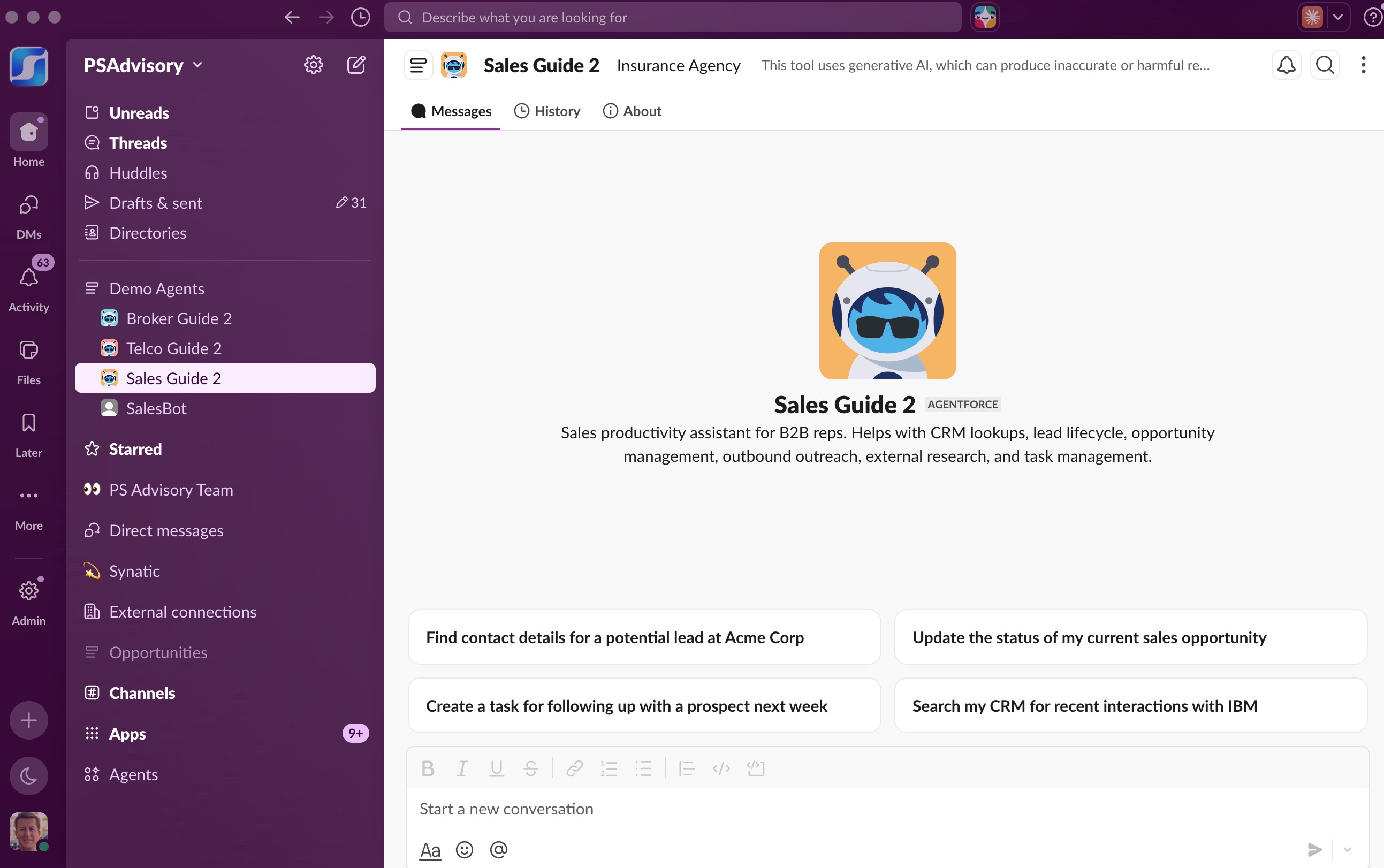
Ask in plain English. It does the CRM work, the research, and the follow-up for you. Done.
CRM lookups, the full lead and opportunity lifecycle, case management, outreach, research, enrichment, and your daily numbers, in the chat your team already has open.
New to it? Just ask “what can you do?”
Built on and connected to the tools you already run
Three things most tools can't do together
Sales Guide meets reps where they already are, and gets the work done.
It acts, it doesn't just answer
Sales Guide completes the task. It creates the lead, updates the opportunity, sends the email, opens the case, and logs the call. It's a doer, not a chatbot.
It runs as you
Sales Guide only ever sees and changes the records you're already allowed to. Your sharing rules and field-level security are enforced on every action.
It lives where you work
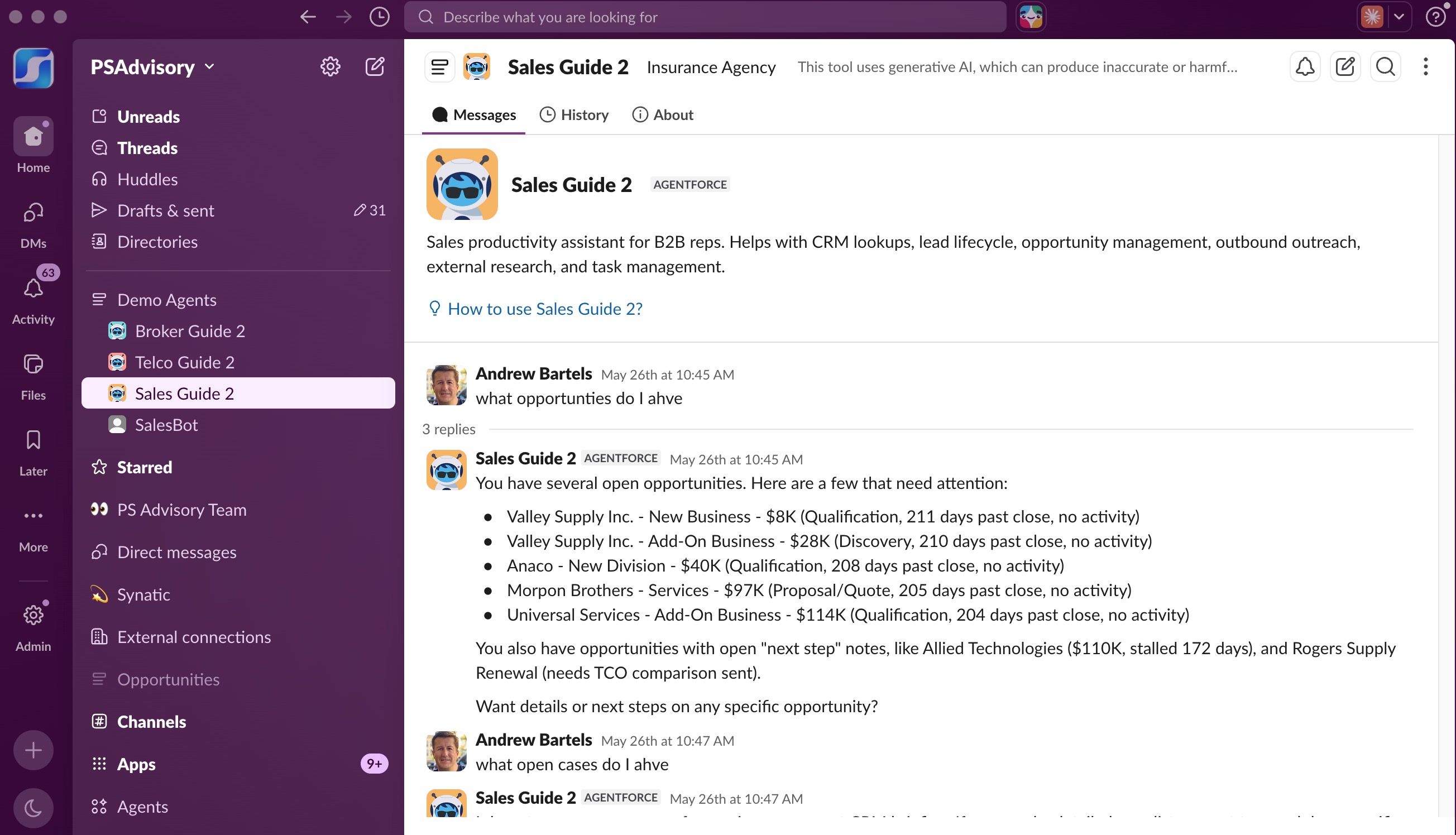
Reach it from the Agentforce panel inside Salesforce and from Slack, where it hands back clickable record links so you jump straight to the record.
Your tools in. Real work out.
Sales Guide reads from the systems you already run, then takes action on your behalf, all from a single message.
Connects to
Ask it to
The #1 reason CRM investments fail isn't the software. It's that no one uses it.
Reps don't live in Salesforce. They live in Slack. By bringing the CRM to the place where your team already works, and acting on their behalf in plain English, Sales Guide makes the data get used, updated, and trusted. No new tab to open. No new habit to force. Better Salesforce productivity becomes the default.
Real, completed actions, triggered by a message
Every capability is a plain-English request away, in Slack or right inside Salesforce.
Get caught up, instantly
Ask for the picture on any Account, Contact, Lead, or Opportunity. Sales Guide summarizes who they are, recent activity, and the key fields, without you clicking through tabs.
“What's the latest on the Acme deal?”
Manage every record by conversation
Create and update leads, accounts, contacts, opportunities, tasks, and cases from a plain-English request. No forms, and it acts on what you give it instead of asking a string of follow-up questions.
“Create a lead for Sarah Chen at Northwind Logistics.”
Find the right record or contact
Search your CRM for what's already there, and when the CRM comes up short, find a contact's email out on the web so you can reach the right person.
“Find a contact email at Northwind — Mark Patel, VP Ops.”
Research and enrich, safely
Run live web research for a clean read on any company, then enrich thin records. Structured business data is applied automatically; open-web values are always held back for you to confirm.
“Enrich this lead with web research.”
Prep, plan, and draft email
Get 3–5 talking points for call prep, build a short- and long-term strategic plan, then draft outreach in your voice that sends from Salesforce and logs on the timeline.
“Generate talking points, then draft a short intro email to Mark.”
Log work and see where you stand
Log calls and meetings and set follow-up reminders without leaving the chat, then get an instant rundown of your pipeline and leads so you always know where you stand.
“Give me a rundown of my leads by status this month.”
Powerful,
and safe
by design.
Sales Guide is fast because it acts instead of interrogating, and trustworthy because every write is governed. It works with the details you give it, applies reliable data automatically, and always confirms open-web values before saving.
Your access, never more
Sales Guide only sees and changes the records you already have access to. Your sharing and field-level security are enforced on every read and write.
Confirmed before it's saved
Structured business data is applied automatically because it's reliable and sourced. Open-web research is held back for you to approve, so a person always confirms it. Every change is logged for audit.
No third-party secrets shared
The web-research and contact-data integrations use your organization's own credentials. Your data stays inside your trusted boundary, where it belongs.
A typical morning, end to end
Get the picture
Ask what's new on a deal and Sales Guide summarizes the opportunity, recent activity, and key contacts.
Research and enrich
It pulls web and business data, auto-applies the structured fields, and asks you to confirm the web-sourced ones.
Prep and draft
Generate talking points and a short intro email to their VP of Ops, ready for your review.
Send and log
Send the email, log yesterday's call, and set a reminder to follow up Thursday, all in one message.
Enterprise-grade by design
For the IT, ops, and security stakeholders who need to know it's real, and it's governed.
Built on Salesforce Agentforce
A native Agentforce assistant running inside your org's security and governance model. Not a bolted-on third-party tool sitting outside your data.
Acts as a true Salesforce citizen
Every action respects your permissions, sharing rules, validation rules, and audit trail. What a rep can't do, Sales Guide can't do on their behalf.
Governed, auditable writes
Reliable structured data is applied automatically; open-web values are confirmed by a person first. Every proposed and applied change is logged so nothing is silent.
Secured by the Salesforce Trust Layer
Every AI interaction runs through the Salesforce Trust Layer. Zero data retention, prompt and response masking, and toxicity filtering. Your data is never used to train external models.